
English
Upgrade from 0.5
When you upgrade from 0.5 to 0.6, the hub keeps your configuration and vault.
Devices on 0.5 cannot connect to a 0.6 hub, and the hub does not upgrade them, so you upgrade each system and each client separately. Back up before you start. Upgrade in this order:
- On the Settings page, select Download backup, and record the vault passphrase.
- Run the install command again to upgrade the hub.
- On the other systems, install the new agent and join with a new link.
- On the clients, install the new version, select Leave, then join with a new link.
Changes by part
| Part | What changes automatically | What you do |
|---|---|---|
| The hub | It reads the configuration and vault as before | Install the 0.6 hub |
| The agent on the hub's system | It updates to 0.6 when the panel starts, and rejoins the hub automatically | Nothing |
| Other systems | Nothing changes, and they stay offline | Install the 0.6 agent and join with a new link |
| Clients on computers and Android | Nothing changes, and they cannot connect | Install 0.6, select Leave, and join with a new link |
| The panel in the browser | The previous sign-in stops working | Enter the panel password again |
Step 1: back up
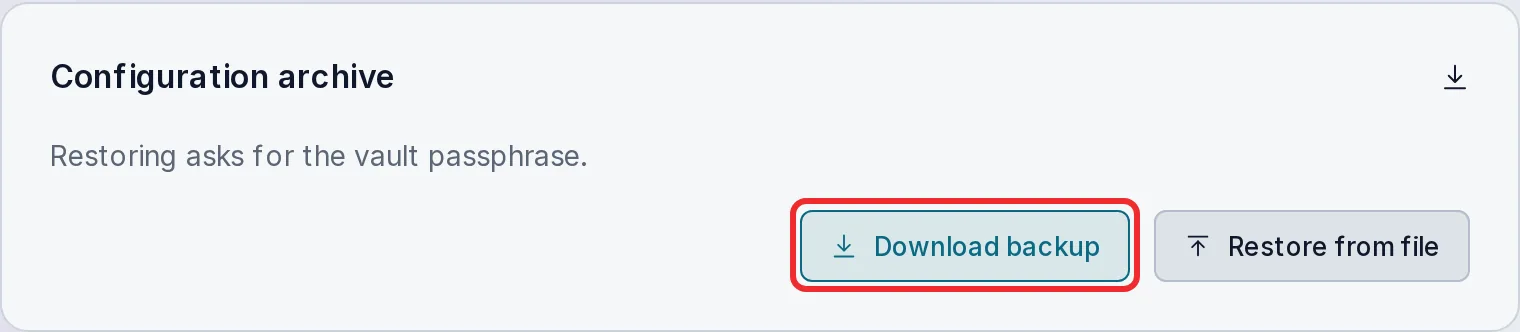
Open the 0.5 panel. On the Settings page, select Download backup in the Configuration archive section. Record the vault passphrase, which a restore requires.
Step 2: upgrade the hub
On the hub's computer, run the install command. Use the command of the edition you already have, GitHub for the International edition and CNB for the China edition.
bash
curl -fsSL https://github.com/iffiX/neutrino/releases/latest/download/install.sh | shpowershell
irm https://github.com/iffiX/neutrino/releases/latest/download/install.ps1 | iexbash
curl -fsSL https://cnb.cool/iffi-X/neutrino/-/git/raw/main/packaging/install/install.sh | shpowershell
irm https://cnb.cool/iffi-X/neutrino/-/git/raw/main/packaging/install/install.ps1 | iexThe terminal ends with The hub was upgraded, followed by the panel's address. Open that address and enter the panel password again.
Version 0.6 requires macOS 13, so upgrade an older macOS first. If a 0.5.2 hub on Ubuntu 22.04 has already lost internet access, restart the computer one time after the upgrade.
The agent on the hub's system updates and rejoins the hub automatically after the panel starts. Its row on the Agents page keeps its name and modules, without a new link.
Step 3: other systems
Each link is valid for 30 minutes. Repeat these steps on each system, with one link per system:
- Run the agent install command, and the new version installs over the old one. The commands are in Agents.
- In the panel, select Add by link, leave Name empty, then select Generate link.
- On the other computer, run
sudo nagent join '<link>'with the generated link as<link>. Answerywhen the command prompts you to replace the hub.
The system returns to its old row and keeps its name, icon, credentials and app settings. A computer with a reinstalled operating system counts as a new system and gets a new row. Select Forget on the old row to remove it.
On Linux, you can instead select Reinstall in The agent section of the system's page. The hub then installs the agent over SSH and joins it to the hub.
Step 4: clients
Install 0.6 over the old version, as Install the client describes.
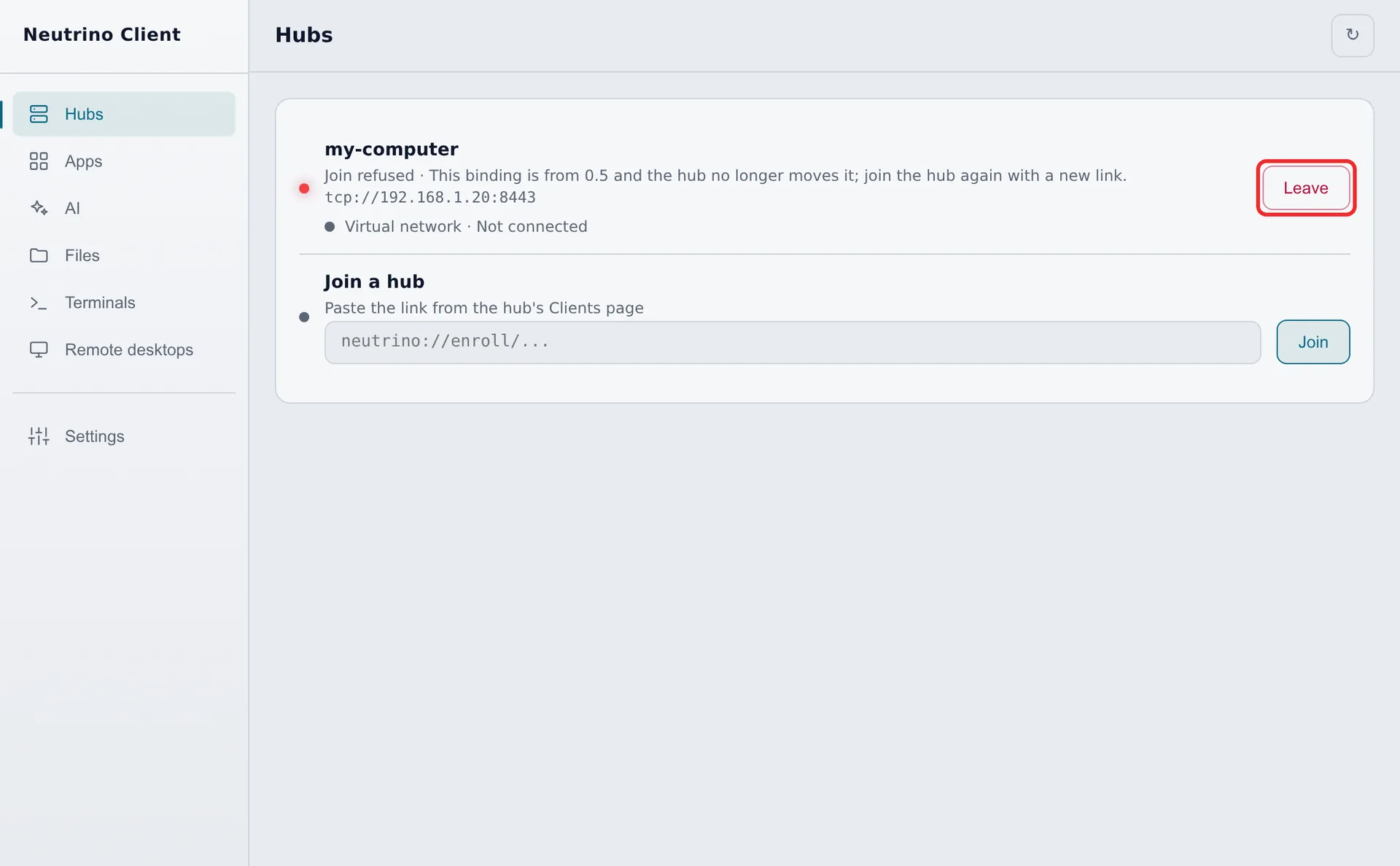
The hub's row then shows that it comes from 0.5, and only Leave is available. Select Leave, then select it again to confirm.
On the panel's Clients page, select New client link, fill in Name, then select Generate link.
Paste the link on a computer, or scan the code with a phone. Each link joins one device only, and the steps are in Join a hub.
If an old row remains on the Clients page, select Delete to remove it. Version 0.5 has no iOS app, so set up an iPhone with the steps of a new install.
Changes after the upgrade
The panel and the commands change as follows:
- The Devices page is now Agents.
- The panel no longer has the Terminals, Files and Modules pages. Terminals and files are in the client, and modules are on each system's page.
- Declare service is now Declare app.
- Each permission is either on or off. A permission set that included terminals gets SSH added automatically.
- Accounts move automatically to Available accounts on each system's page, and the AI tools switch is now set per account.
- The ZFS module is removed.
- The SOCKS port is removed. If a program used that port, change its network settings. Only Route now sets whether traffic goes through an exit, as Proxy describes.
nclient joinis nownclient hub join.
Apps and shares change in these ways:
- The addresses the client uses are different. Open VS Code, code-server and CloudCLI again from the Apps page.
- After the upgrade, the agent's first apply deletes the shares and Samba logins that 0.5 created, and it keeps the shared folders and their files. To keep sharing, turn file sharing on again for the account on the hub, or add the folder shares again.
- Neutrino Hub deletes the SMB users that file sharing created before, named
neutrino-<account>with the account name as<account>. It then creates them again asneutrino_<account>from the new configuration, and you take no action.