
English
NetBird
NetBird is a virtual network service: the hub and your devices join one NetBird network, and the devices connect to the hub's address in it.
SystemsLinuxWindowsmacOS
EditionsInternationalChina
Sincev0.1.0
| Free account quota | Value |
|---|---|
| Users | Up to 5 |
| Devices | Up to 100 |
| Reading date | 2026-10-30; the NetBird website is authoritative |
Before you start, join the device to the hub and turn on its Virtual network permission, as Clients describes. The following steps also use a netbird.io account and a setup key.
With only NetBird on, the hub refuses to generate App share links. To share an app, also turn on SakuraFrp. A device uses one of NetBird and EasyTier at a time. On an iPhone, install NetBird's own app, as iOS app describes.
Create a setup key
The hub and every client share one setup key, so the key must be reusable with no usage limit. Do not use the key from the console's Install NetBird page, because it works one time only.
Open netbird.io, register, sign in and go to the console.
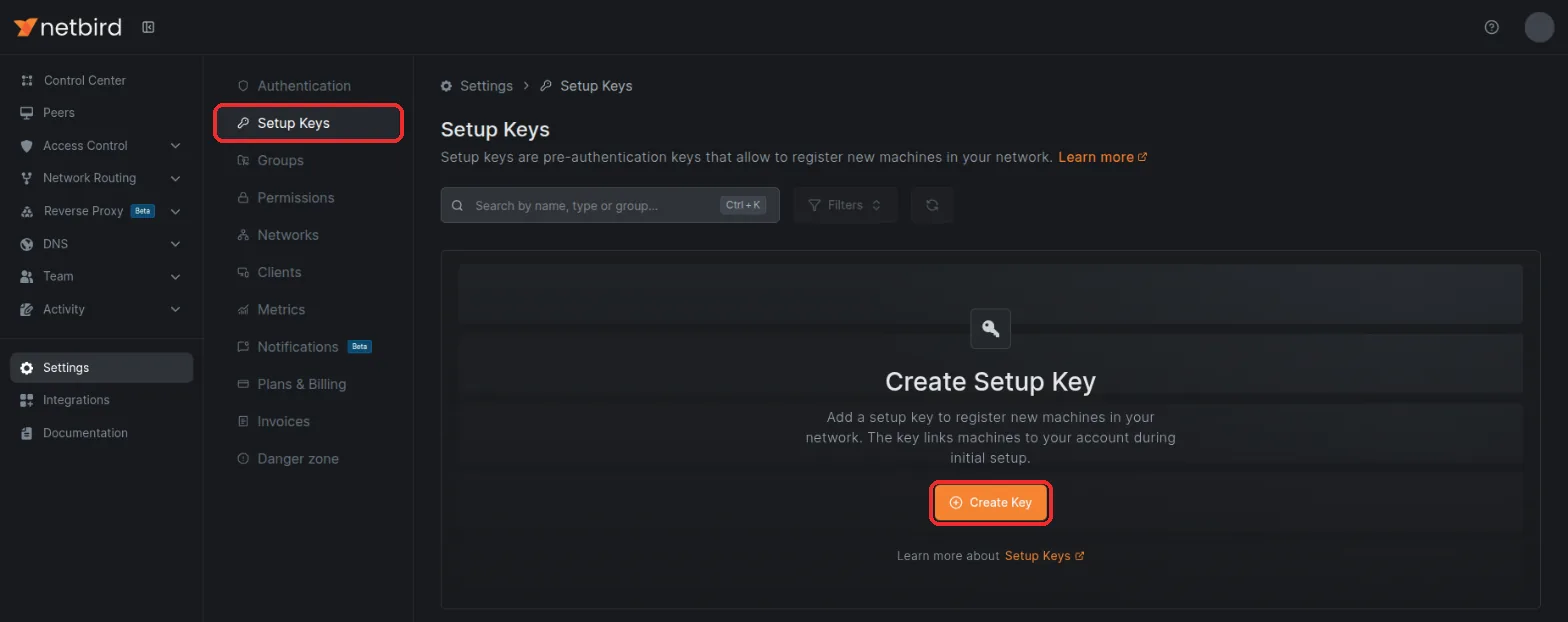
In the left sidebar, select Settings, open Setup Keys, then select Create Key.
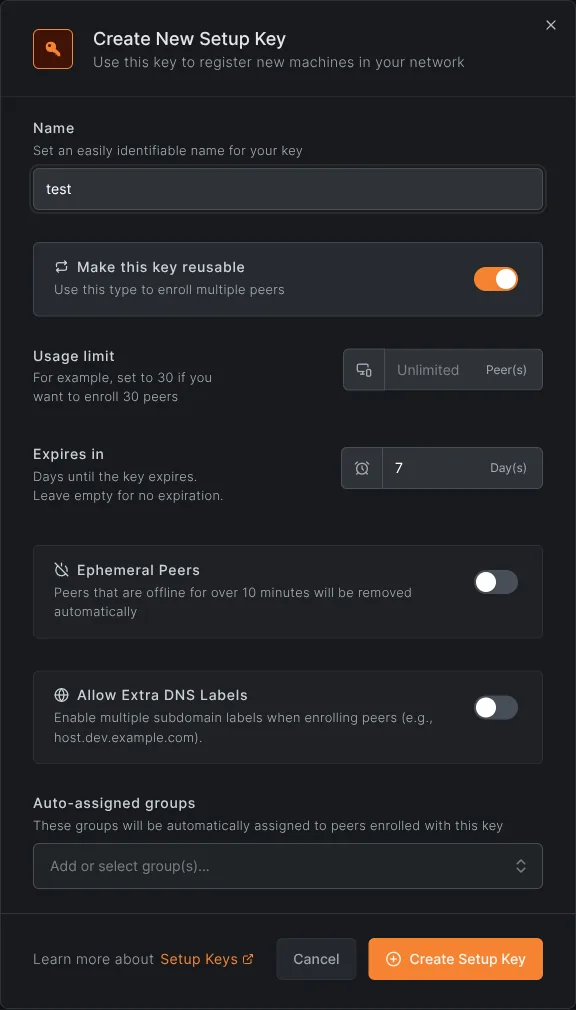
Enter a Name and turn on Make this key reusable. Leave Usage limit empty and clear the default 7 in Expires in. Then select Create Setup Key.
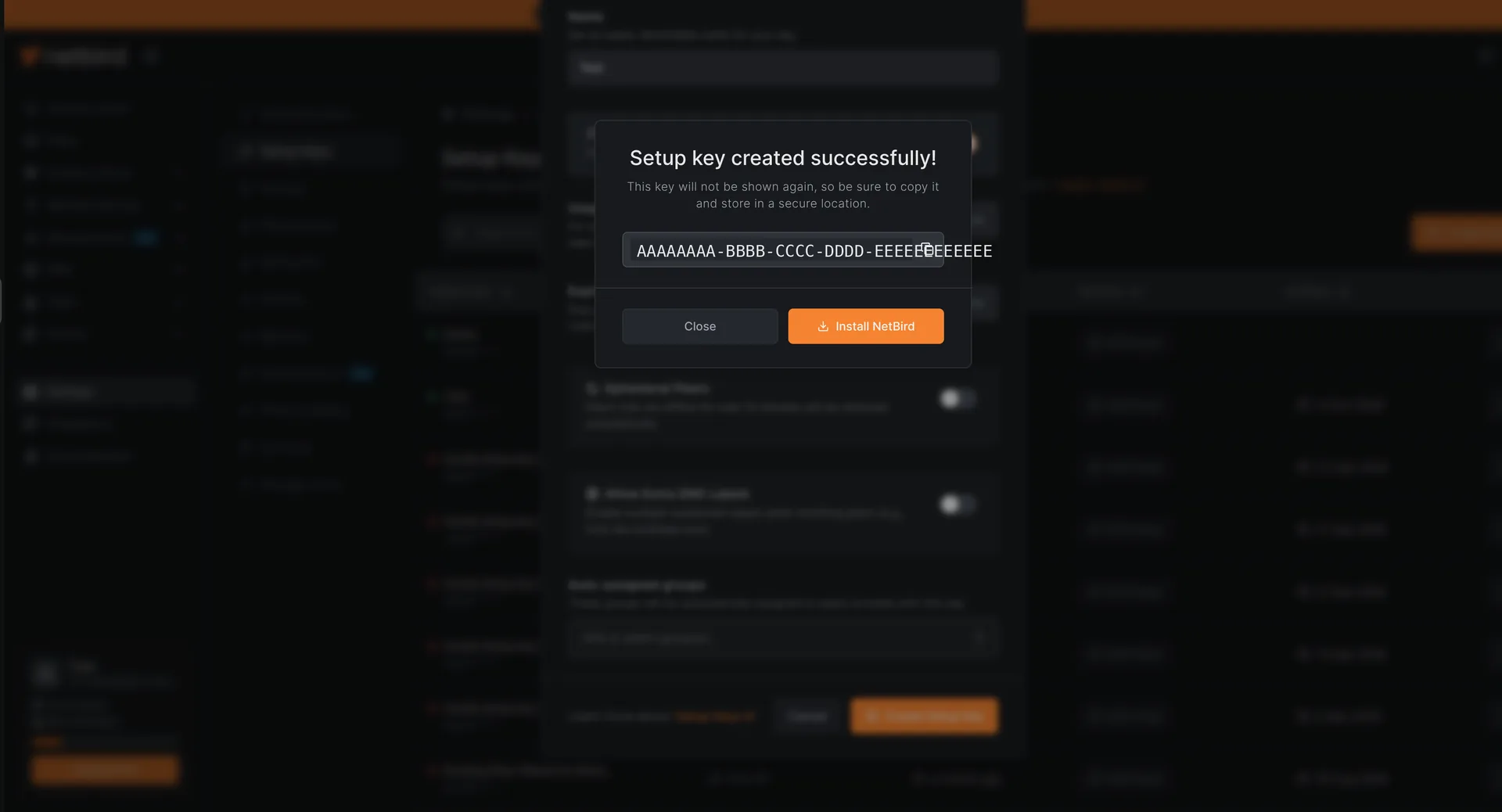
Copy the key, because the console shows it this one time only.
Join the hub to the virtual network
In the panel's left sidebar, select Access, turn on the NetBird card's switch, then select Apply access. The Settings section appears. Open console beside its title also opens the NetBird website.
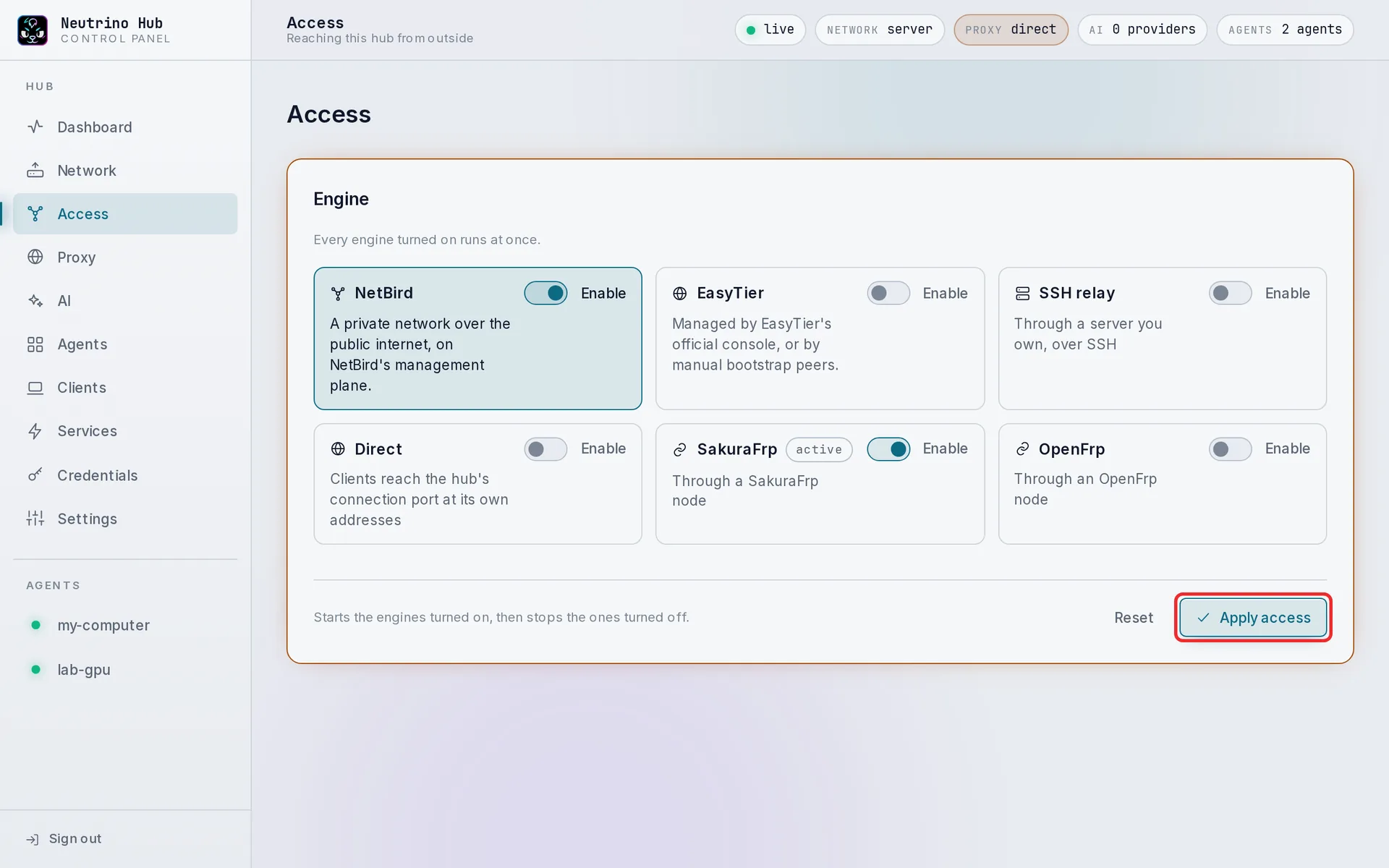
1Select Apply access 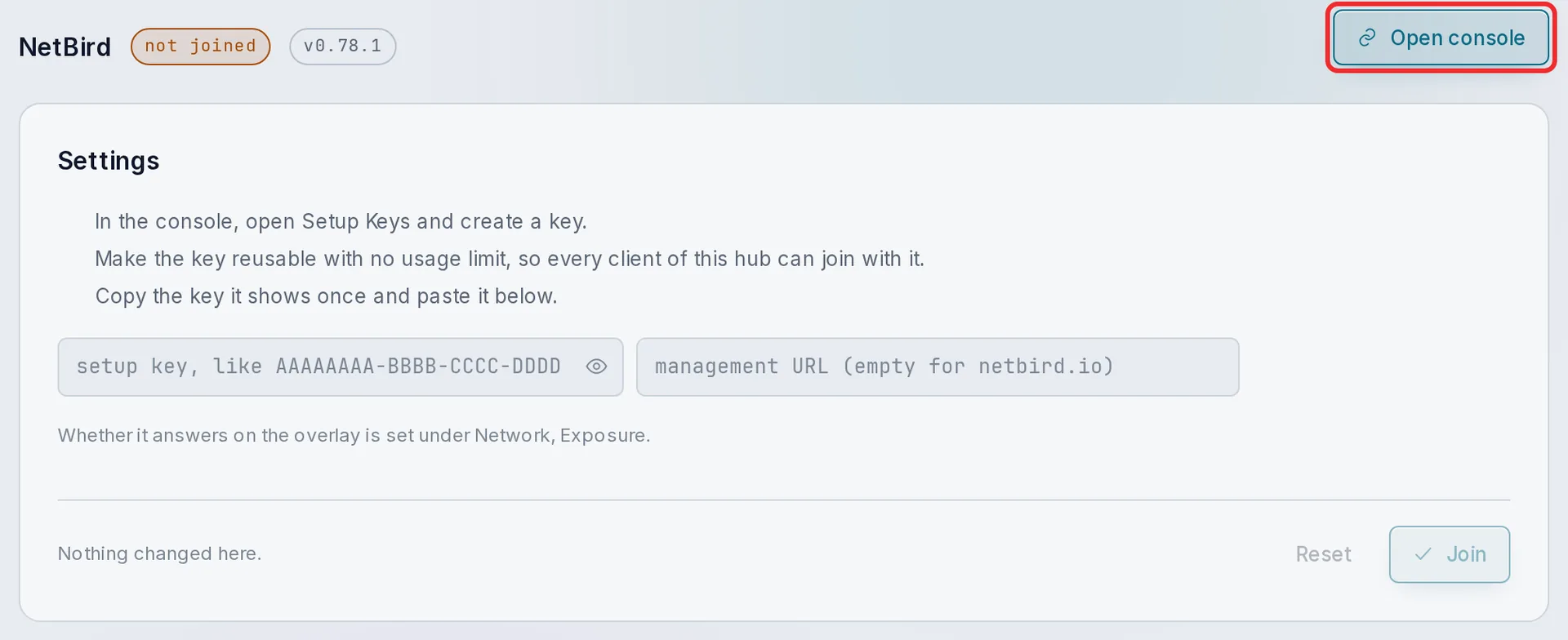
2This also opens the NetBird website Paste the key into Setup key. With netbird.io, leave the management URL box beside it empty; it holds the NetBird management server address and is only for a self-hosted NetBird. Then select Join.
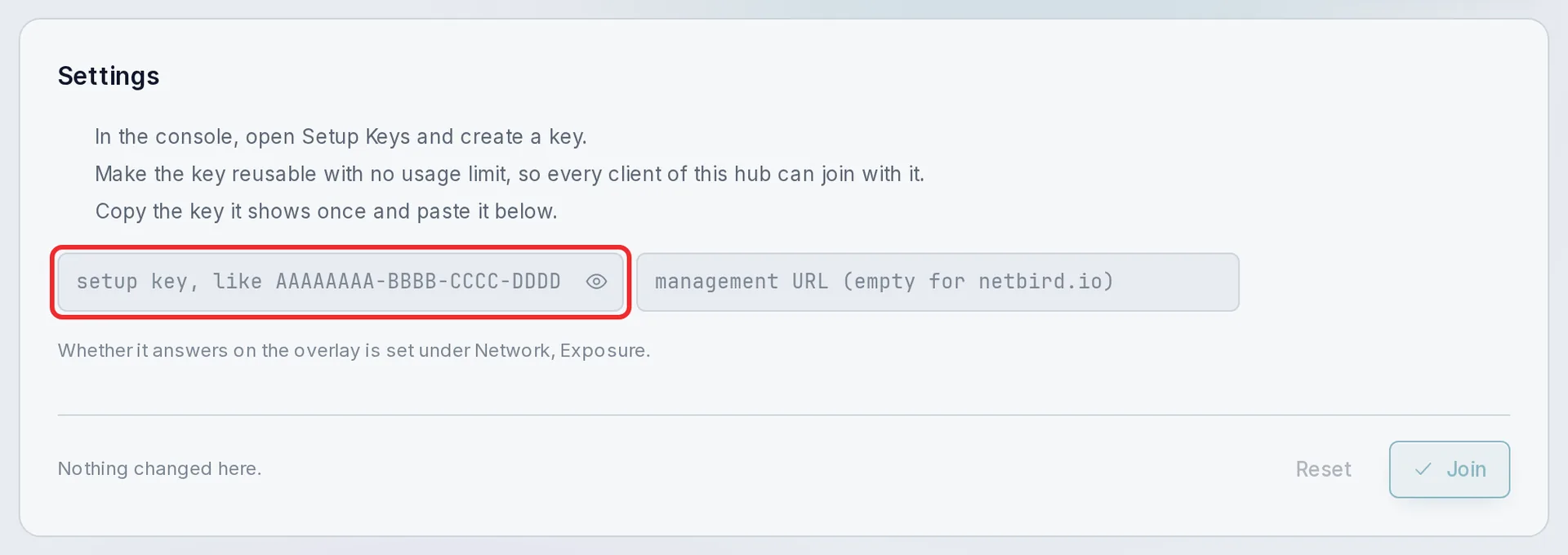
1Paste the key 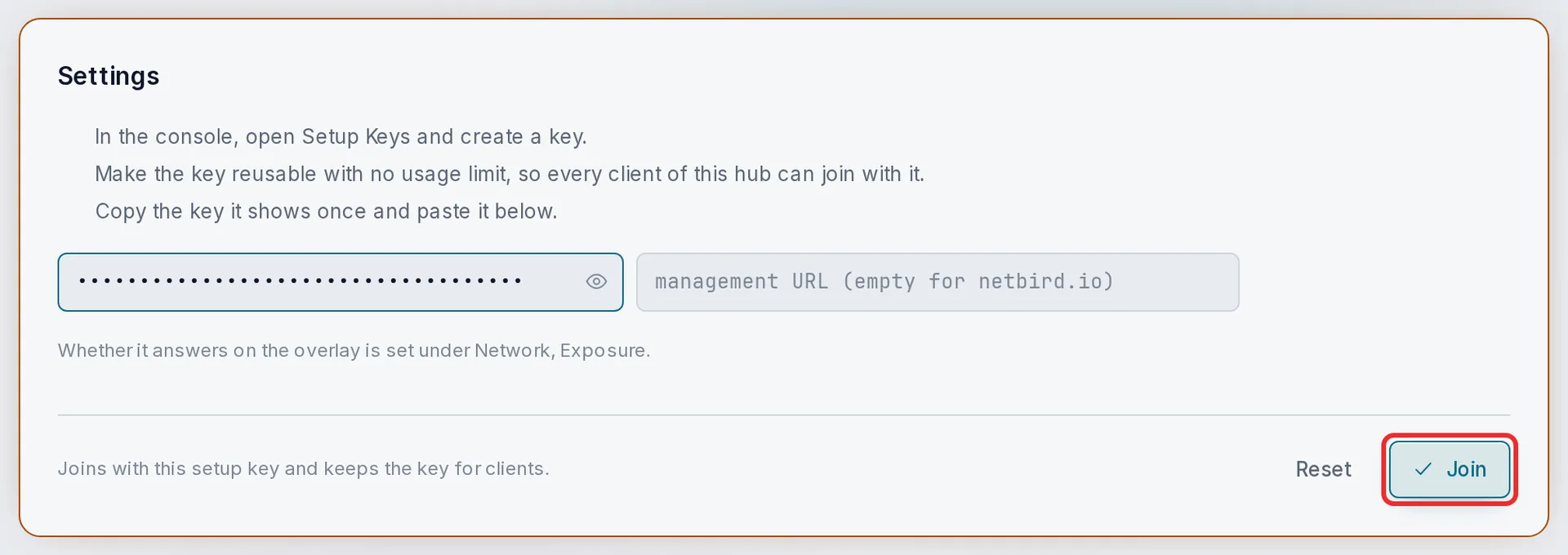
2Select Join Wait for the panel to show connected.
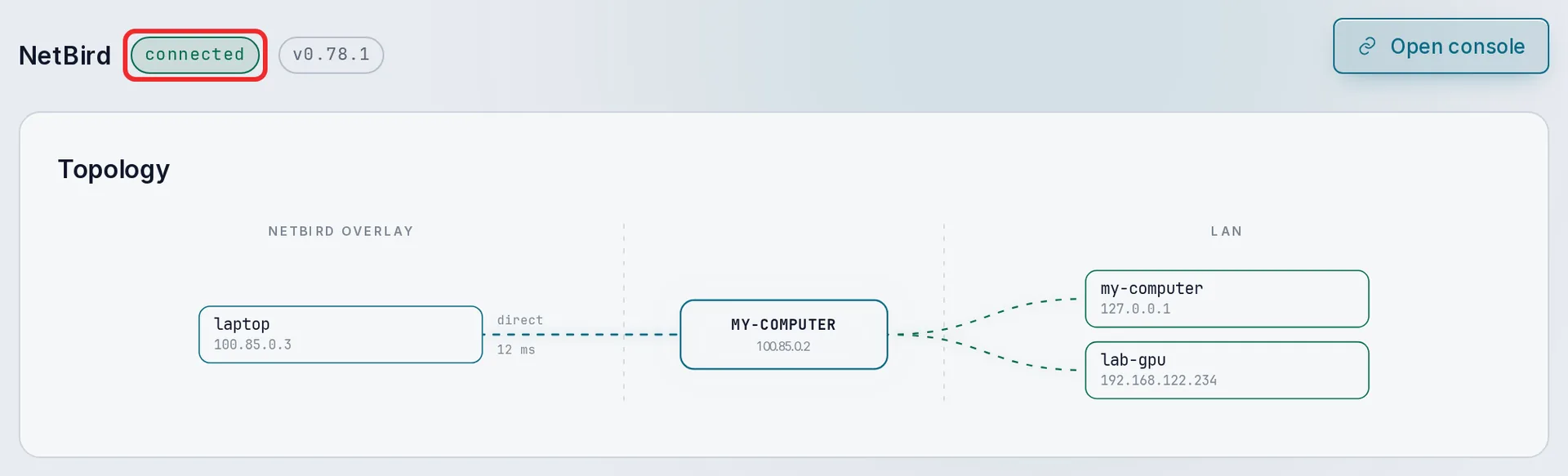
Each status means:
| Status | Meaning |
|---|---|
| joining | The hub is joining with the key |
| connected | The hub has joined the virtual network |
| connecting | NetBird restarted and is reconnecting |
| not joined | The hub has not joined, or its last login expired; join again with a new key |
| management unreachable | The hub cannot connect to the NetBird management server |
| not running | NetBird is not running |
Connect a client
The client receives the setup key from the hub, so you enter no key on the client.
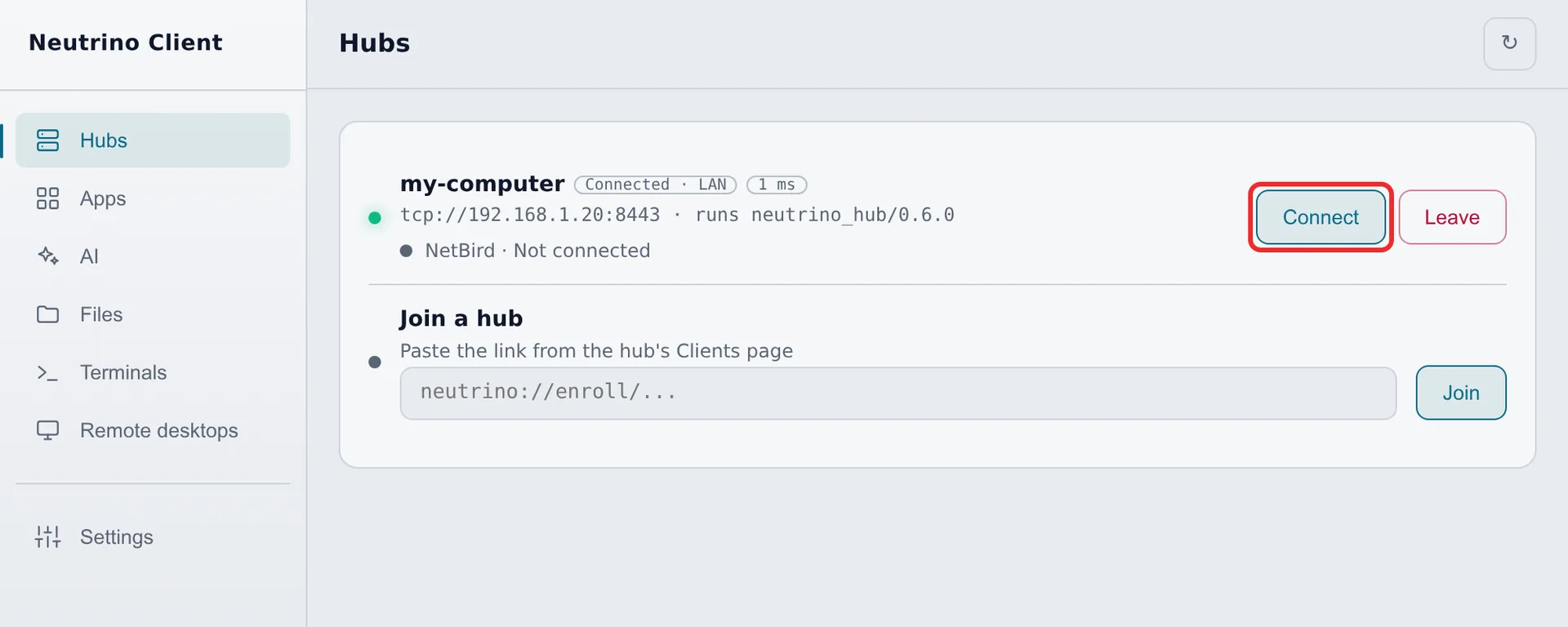
Open the client's Hubs page and select Connect in the NetBird row. On Android, the system shows a permission dialog at the first connection; select OK. The connection works when the row shows Connected and an address. Then turn off Wi-Fi and try again over mobile data, and the hub row shows Connected · NetBird.
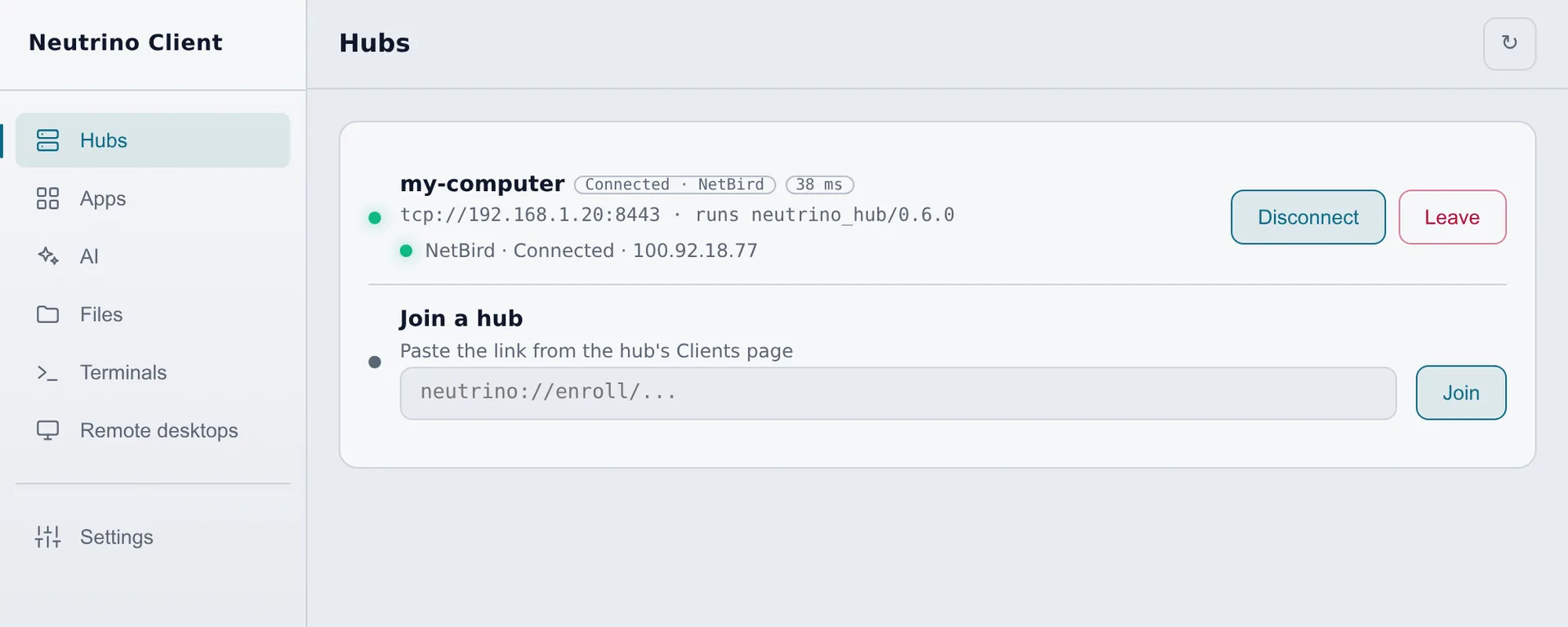
To switch the client to another virtual network, wait until the row shows Not connected.
Maintenance
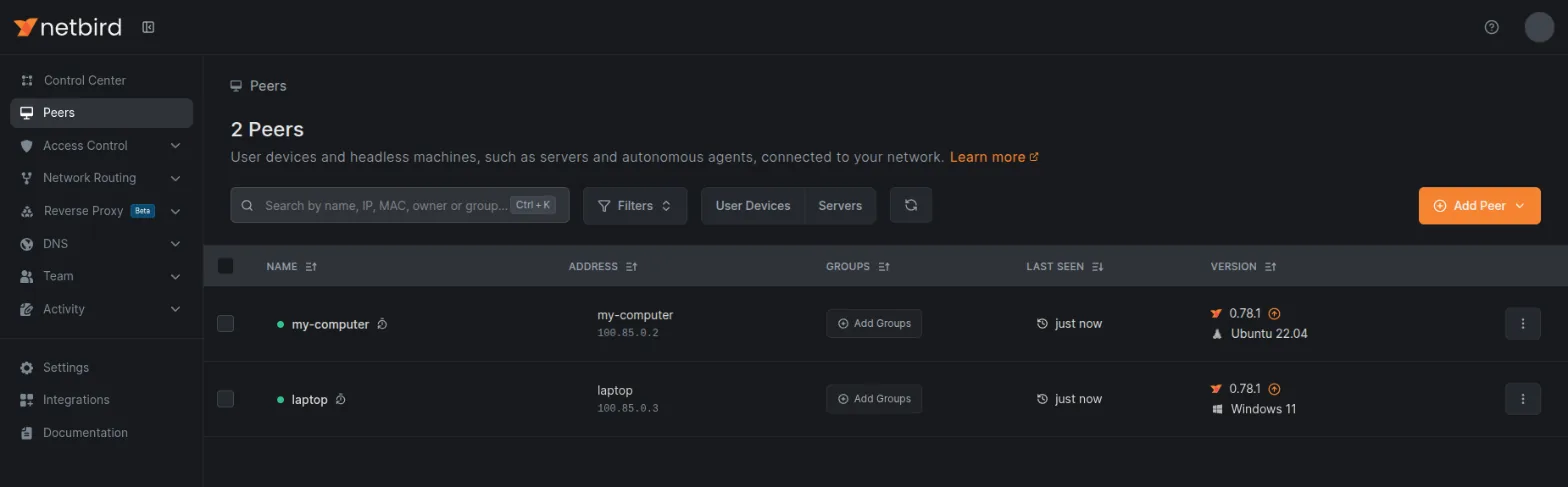
The Peers section lists every device on the virtual network.
The virtual network's switch under Exposure on the Network page is on by default. With it off, devices on the virtual network cannot connect to the hub.
LAN routes is for reaching devices that have no agent installed. Add their subnets in the NetBird console, as Access devices without the agent describes.
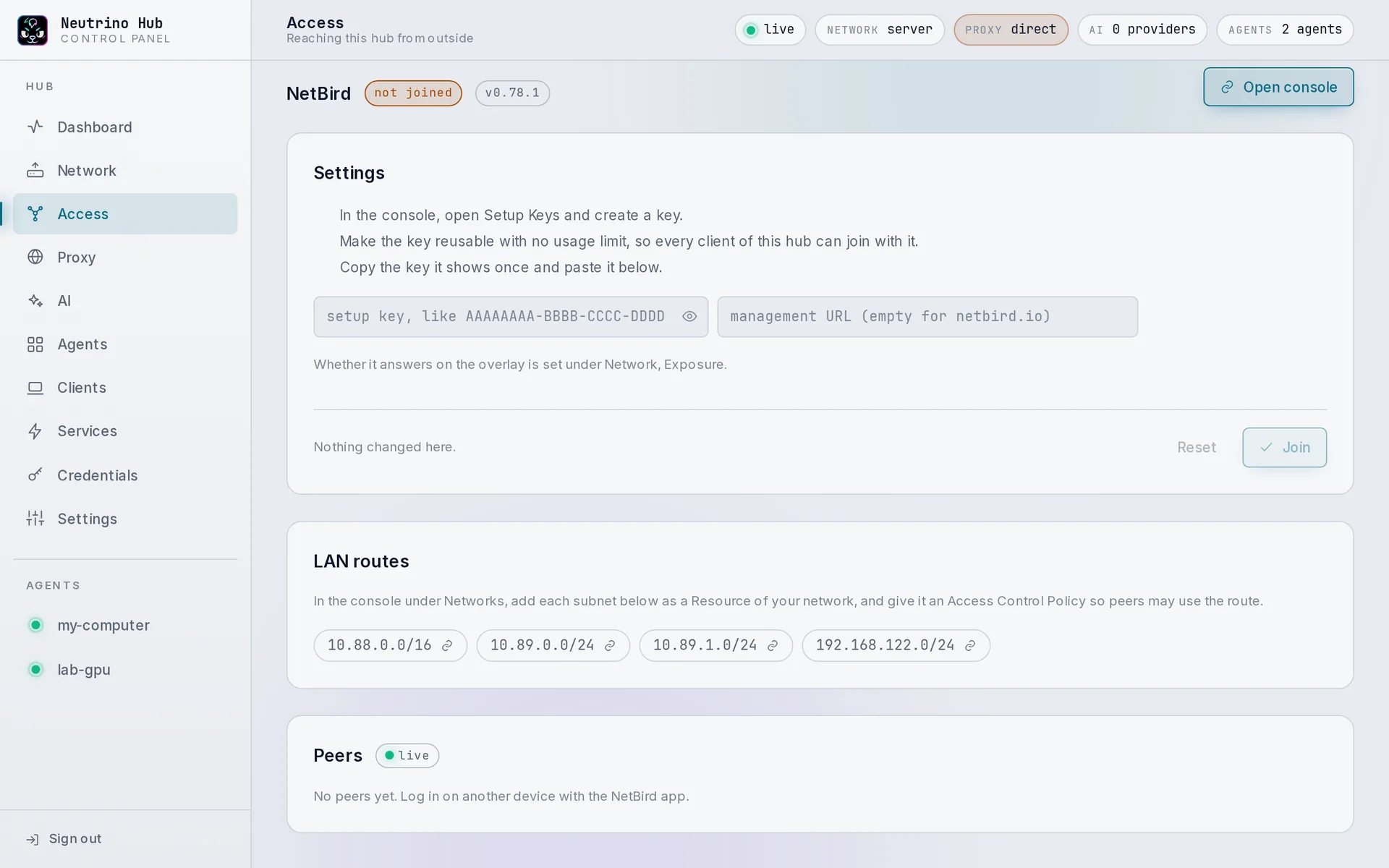
To change the key, select Replace in the Setup key row. To delete the saved key, select Forget. Between Forget and saving a new key, clients cannot join the virtual network.
To leave, select Leave, then select Leave in the dialog. Devices that connect only through NetBird then lose their connection to the hub. Afterwards, delete the hub's old entry under Peers in the console.