
English
SSH relay
SSH relay, an access method, routes devices to the hub through a VPS of your own. The hub connects to the VPS over SSH, and the VPS forwards a public port to the hub's connection port.
SystemsLinuxWindowsmacOS
EditionsInternationalChina
Sincev0.5.0
All traffic passes through the VPS. The content is encrypted, so the VPS cannot read it. Visitors outside can also open share links.
You need a server with a public address that runs OpenSSH and whose SSH settings you can change. Some providers restrict port forwarding, so read your provider's terms first. The hub runs no commands on the VPS, and you make the following settings yourself.
Set up the VPS
Log in with a key in place of a password. On a public server with password login on, others keep trying to guess the password.
The following settings use the account relay and the public port 8443 as examples:
- Create the account without a login shell.
- Generate a key pair and add the public key to the account's
authorized_keys. You can putrestrict,port-forwarding,permitlisten="8443"before the public key so the key can forward only this port. - In the SSH settings, set
GatewayPortstoclientspecifiedso the port listens on the public address, then restart SSH. - Open TCP
8443in the provider's console, and also in the server's firewall if one runs.
Save the login credentials
In the panel's left sidebar, select Credentials. For key login, select Add key. Enter a Name, paste the whole content of the private key file into Private key, then select Save key.
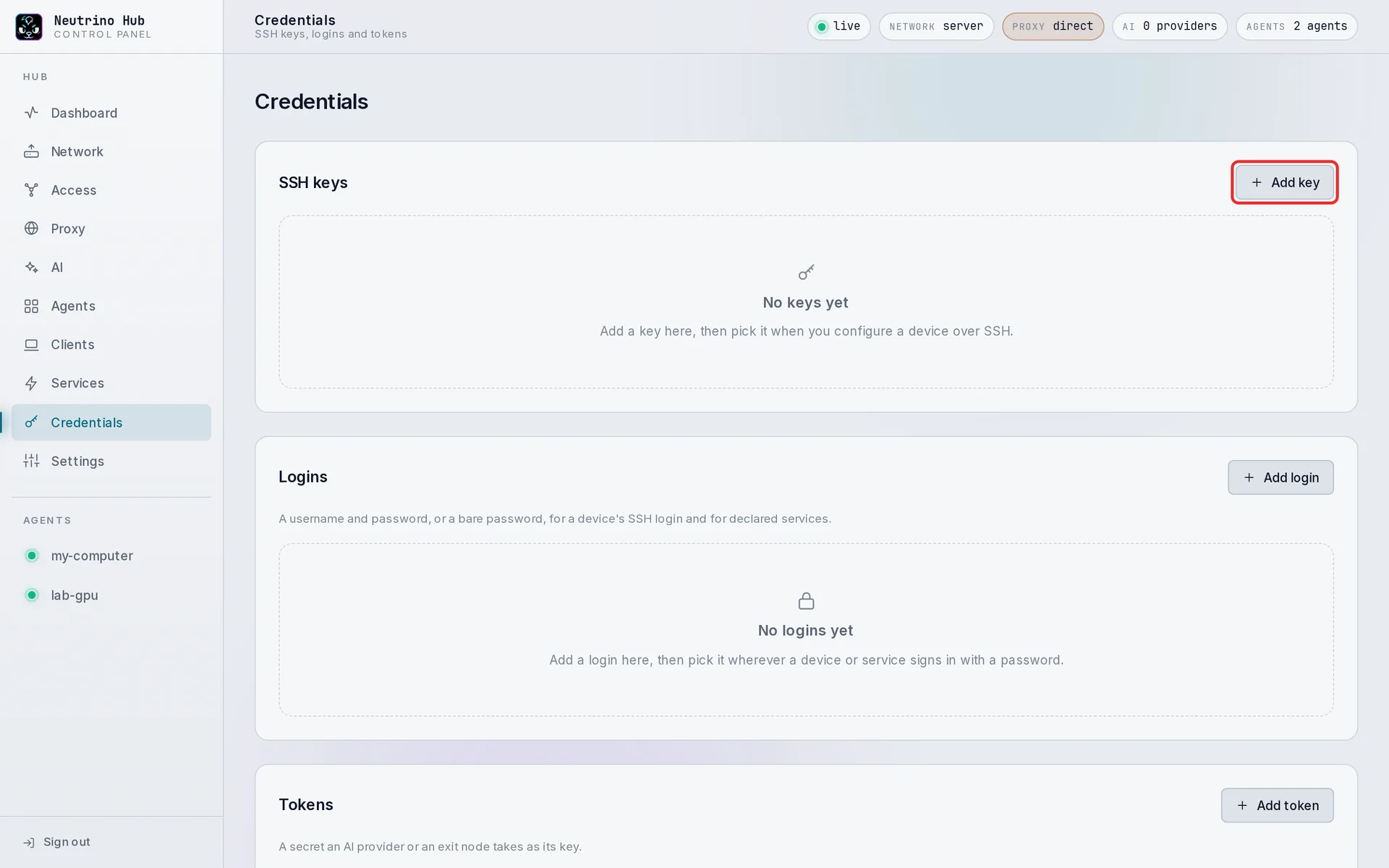
1Select Add key 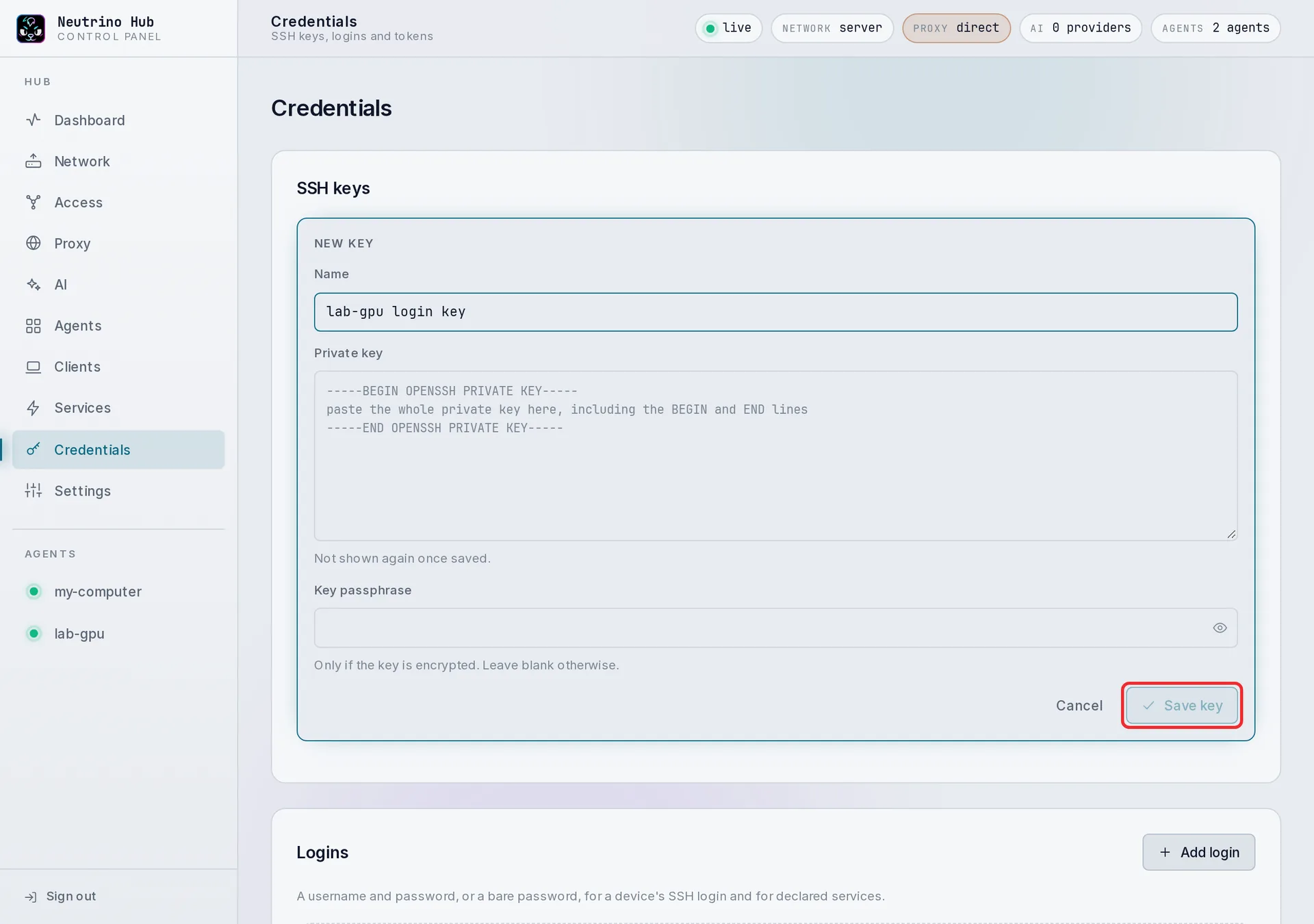
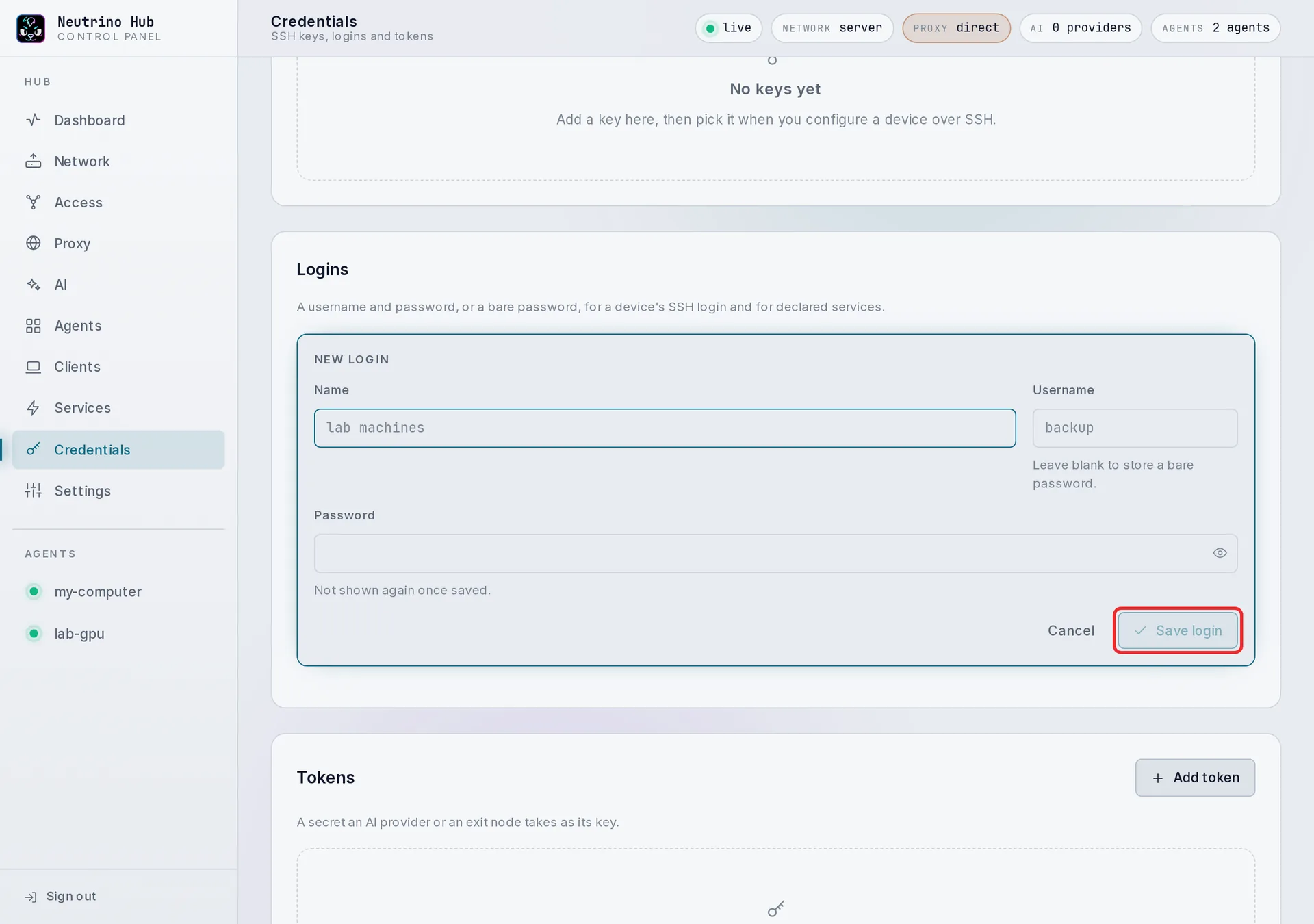
2Fill it in and select Save key For password login, select Add login instead, save the account's password, then select Save login.
Connect the VPS
In the left sidebar, select Access, turn on the SSH relay card's switch, then select Apply access. The Status and Settings sections appear, and the status shows Not configured.
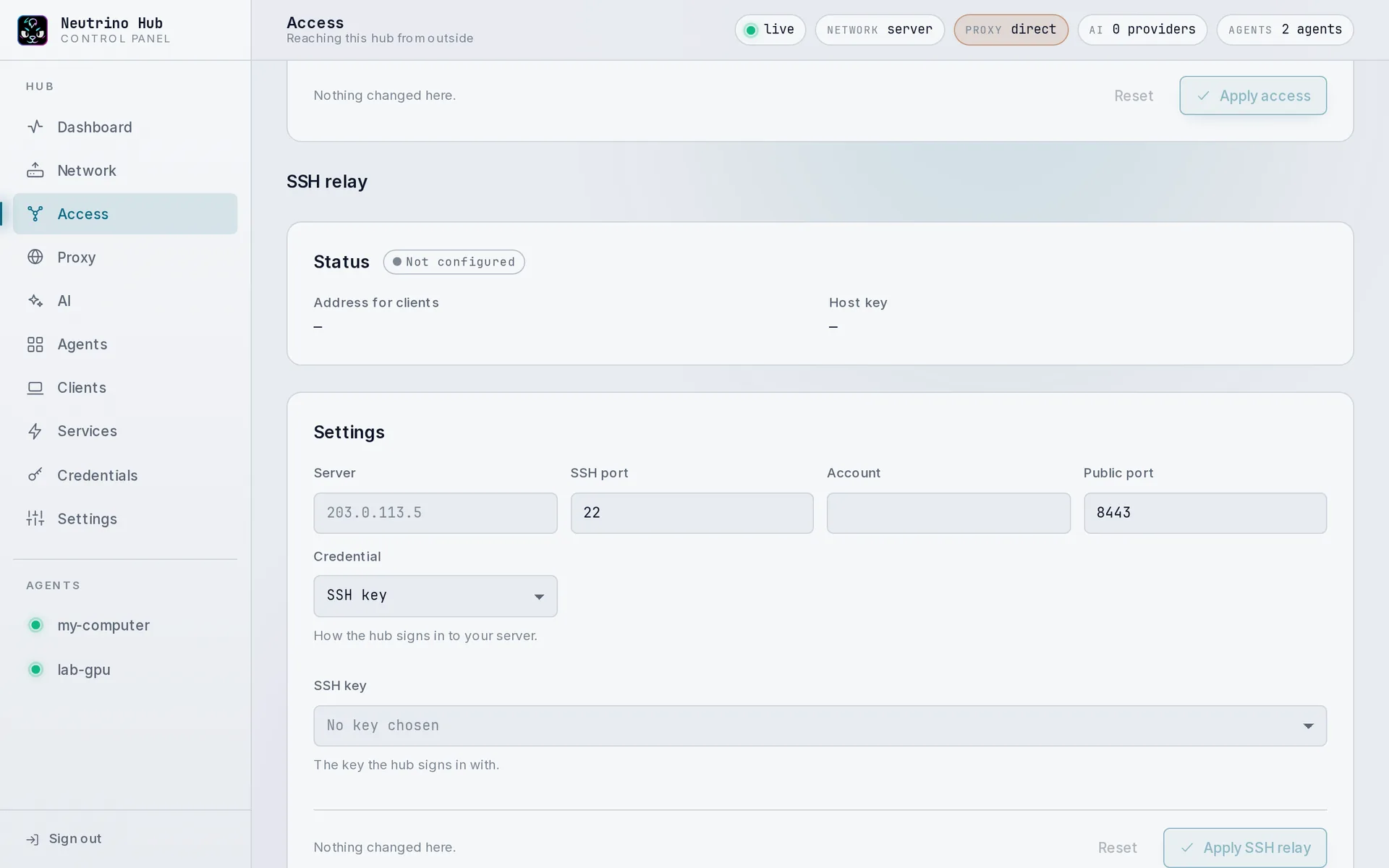
In Settings, enter Server (the VPS address), SSH port, Account (
relay) and Public port (8443). In Credential, select SSH key or Password, and choose the credential you saved. Then select Apply SSH relay.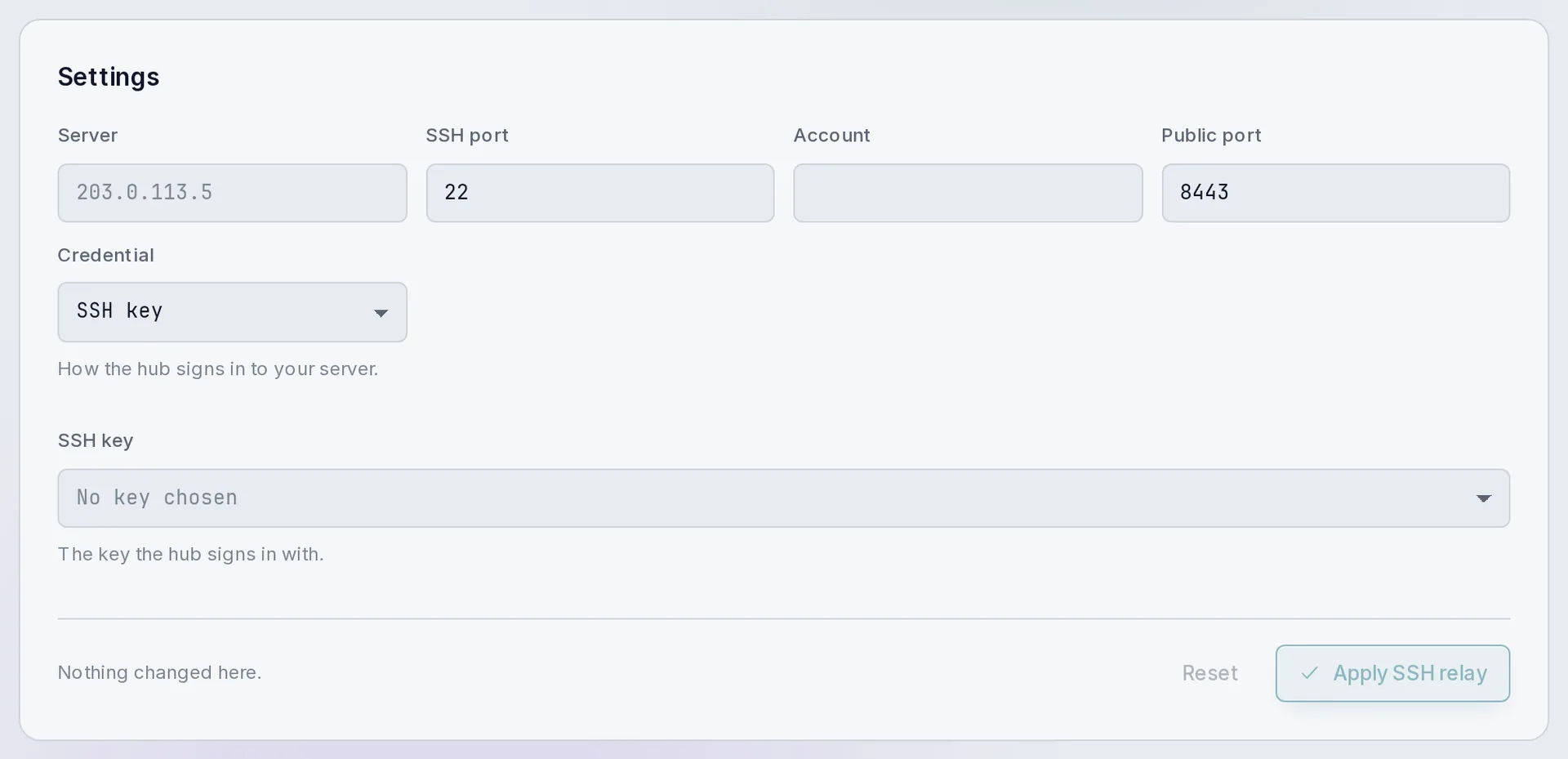
1Fill in this form 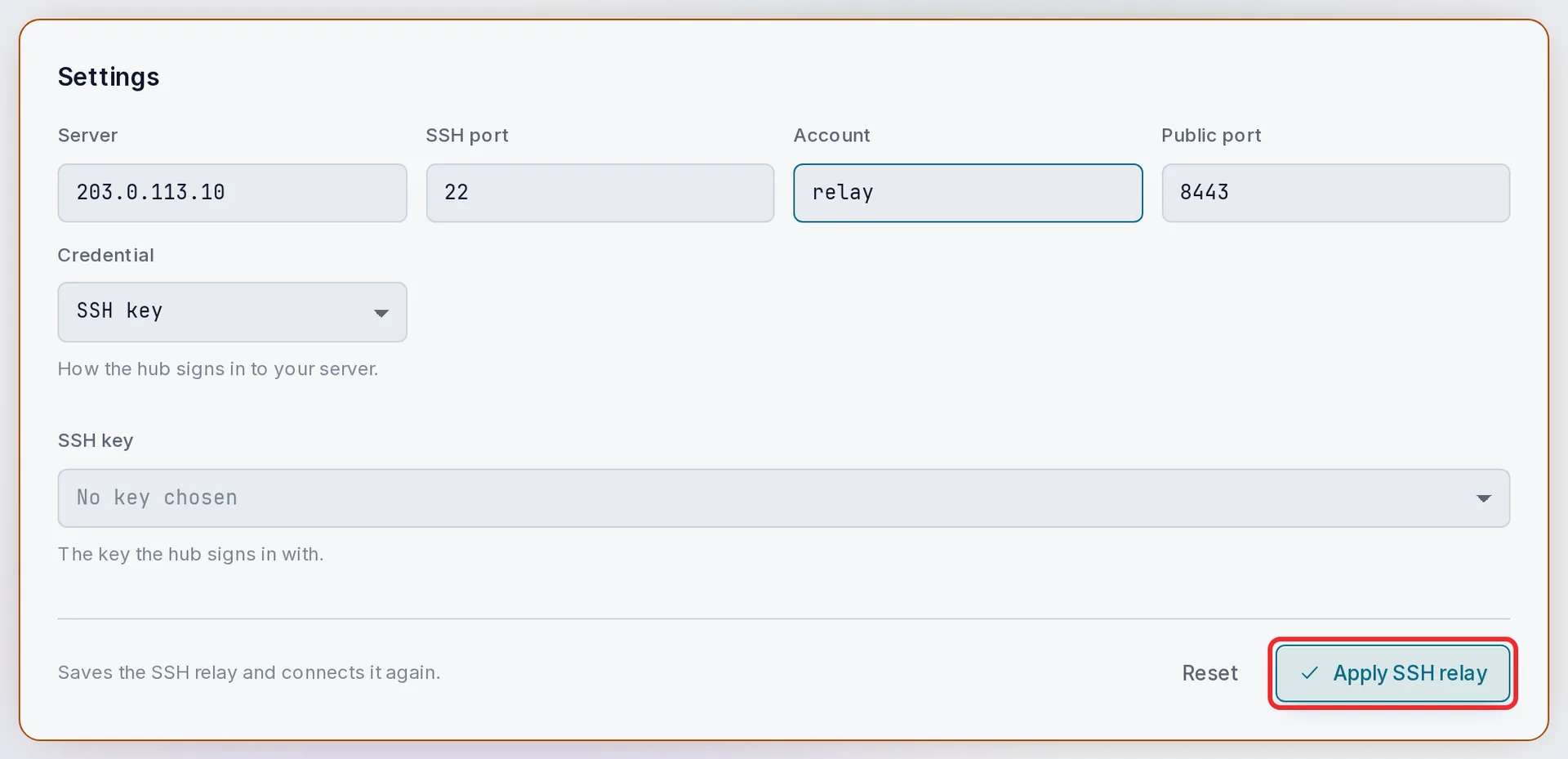
2Select Apply SSH relay Wait for the status to show Connected; the result appears within a minute.

Each status means:
| Status | Meaning |
|---|---|
| Connecting | The first check has not finished, and the result appears within a minute |
| Connected | Outside networks can connect to this hub |
| Not configured | The server, account or credential is empty, or the credential was deleted |
| Vault locked | The hub cannot read the key or password |
| Authentication failed | The server rejects the key or password |
| Forward refused | The server does not permit listening on the port, or another program uses the port |
| Public port closed | Usually GatewayPorts is off, or the firewall blocks the port |
| Host key changed | The server's key differs from the one the hub recorded |
| Server unreachable | SSH cannot connect to the server, or the connection dropped |
Verify the connection
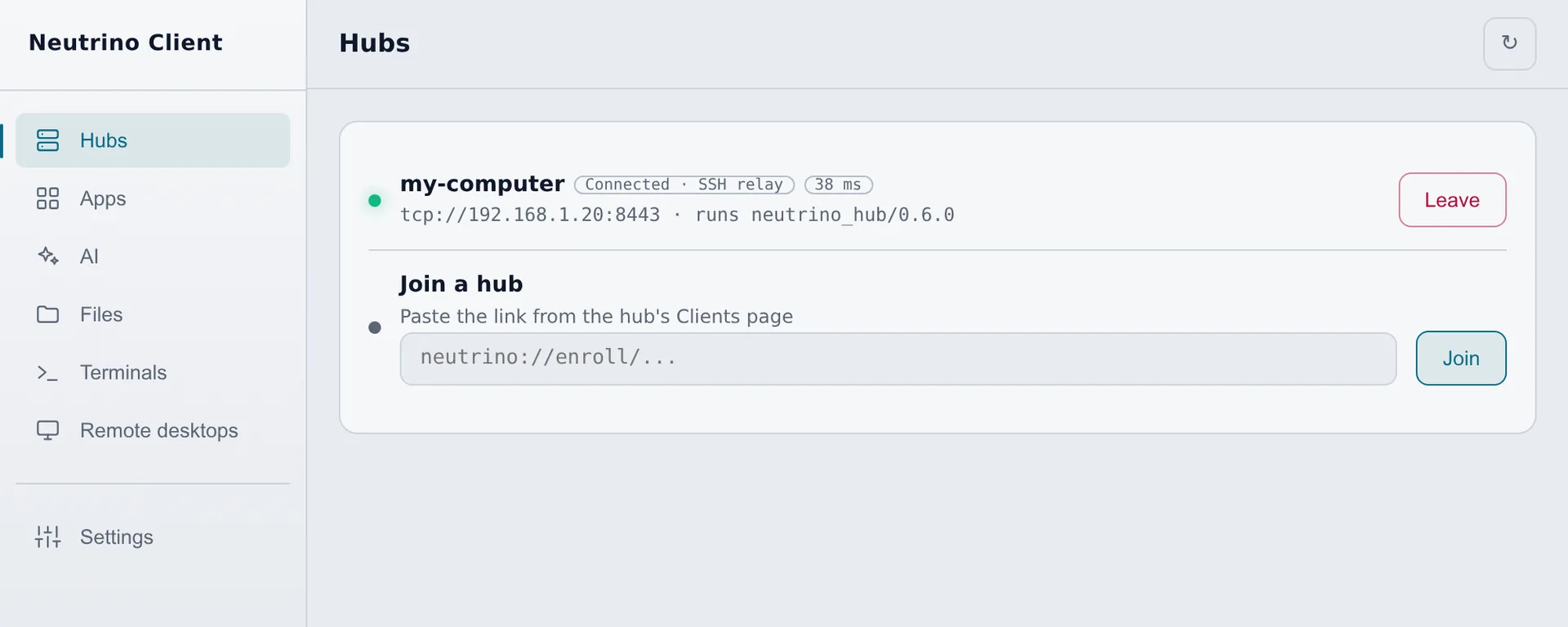
Joined devices receive this address automatically, so you do not join them again. On the phone, disconnect the virtual network and turn off Wi-Fi. The relay works when the hub row shows Connected · SSH relay.
Maintenance
- Applying settings: each time you select Apply SSH relay, clients connected through the relay disconnect and connect again.
- Changing the server: enter the new Server and apply.
- Reinstalled system at the same address: set up the VPS again with the earlier steps, then select Forget host key and select Forget in the dialog.
- No longer needed: turn off the card's Enable switch and select Apply access. Then delete the
relayaccount on the VPS, and restore the SSH settings you changed for the relay.