
English
SSH connections
You connect to each system directly with ssh, sftp and VS Code remote development, without setting up keys yourself.
The feature exists only in the desktop client; on a phone, use the Terminals page. This computer must have the SSH permission. After connecting, you can do anything the account can do.
Turn on SSH connections
Turn on the SSH server on the system you connect to, then turn on the client's switch on your computer:
In the lower part of the panel's left sidebar, select the system to connect to, then select the SSH server tab. Select accounts in Enabled accounts, then select Apply SSH server. The step is done when the account shows running.
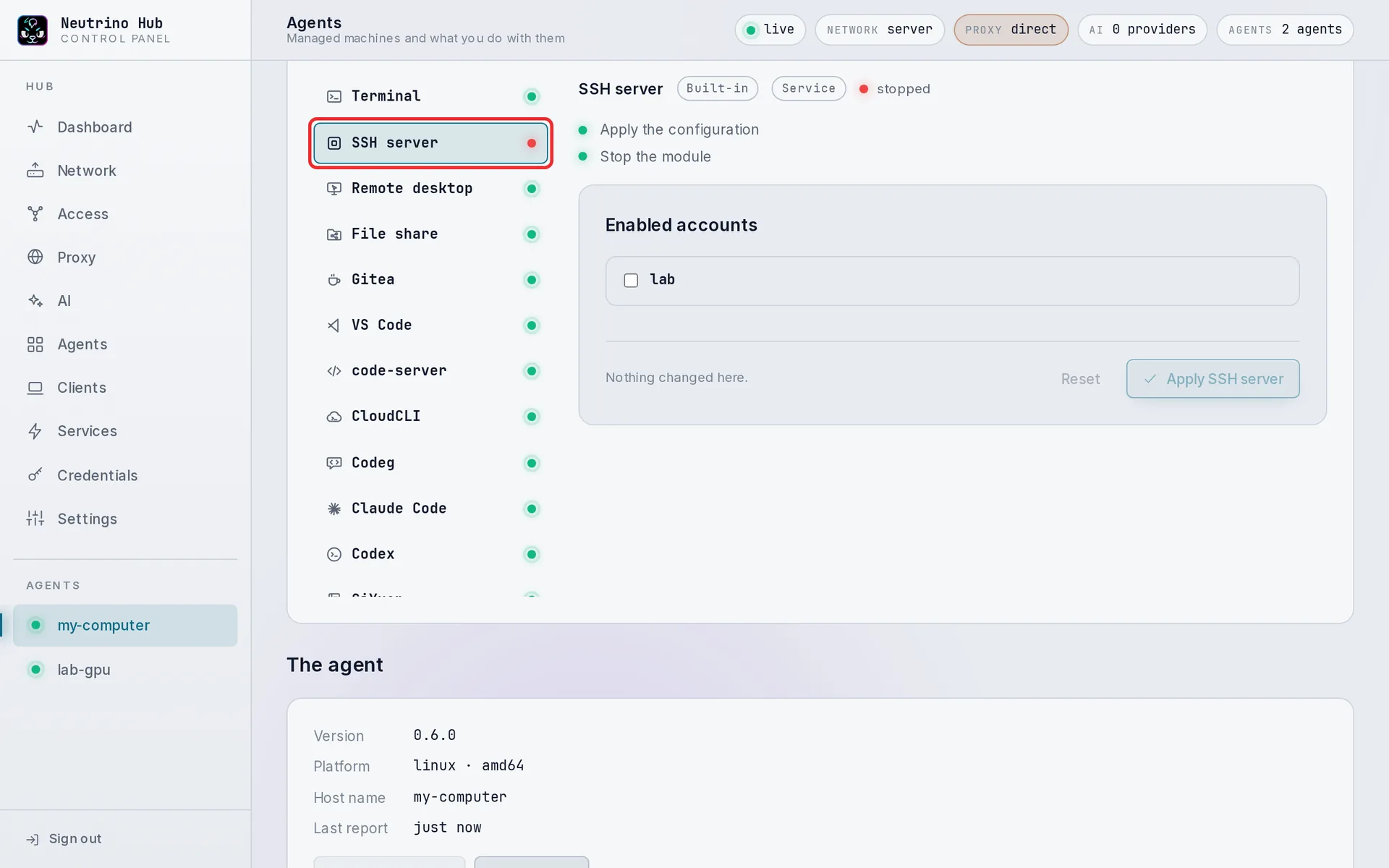
1Select SSH server 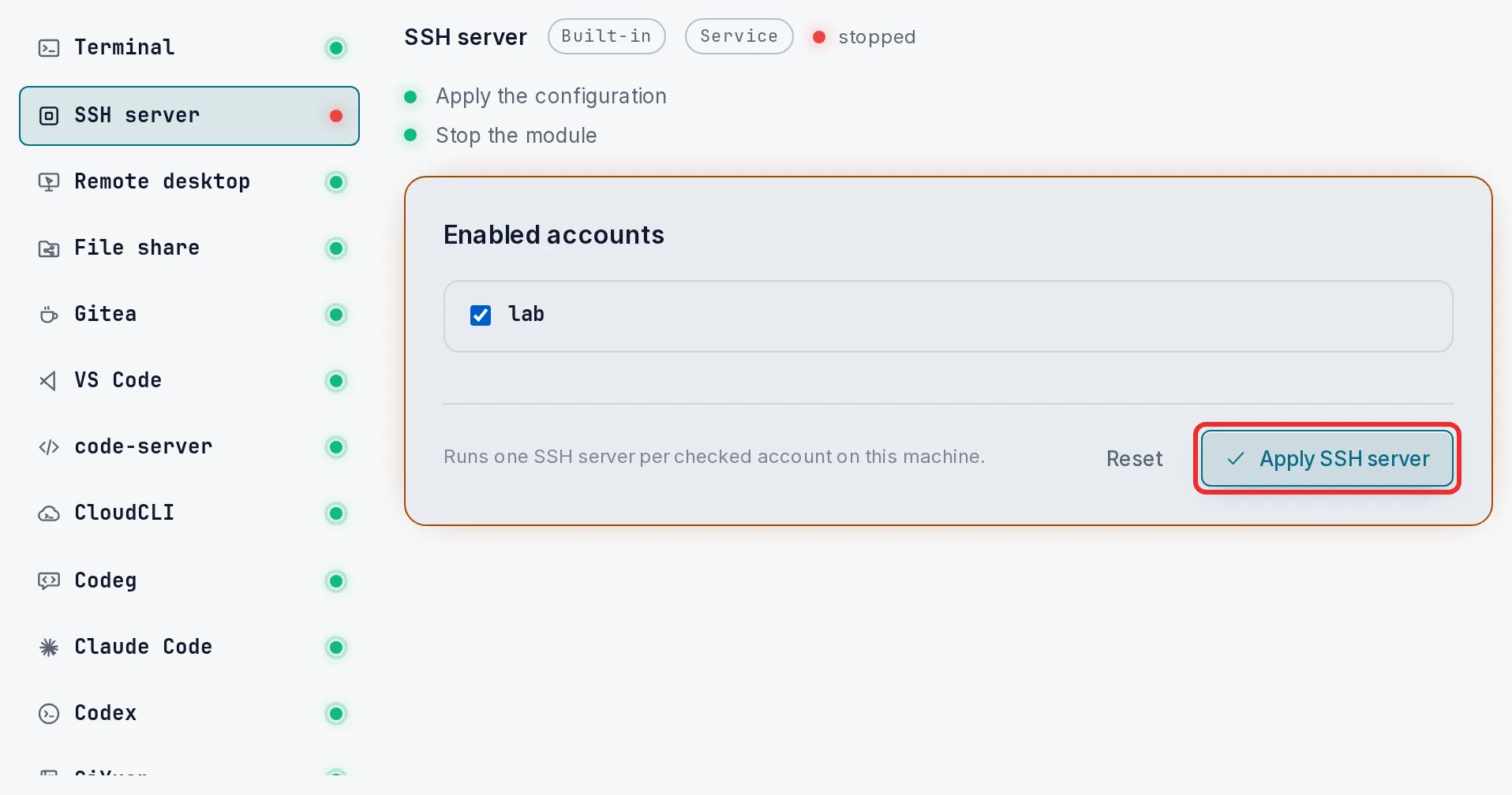
2Select the accounts, then apply On your computer, open the client and go to the Settings page. Turn on SSH programs reach the machines, then select Save.
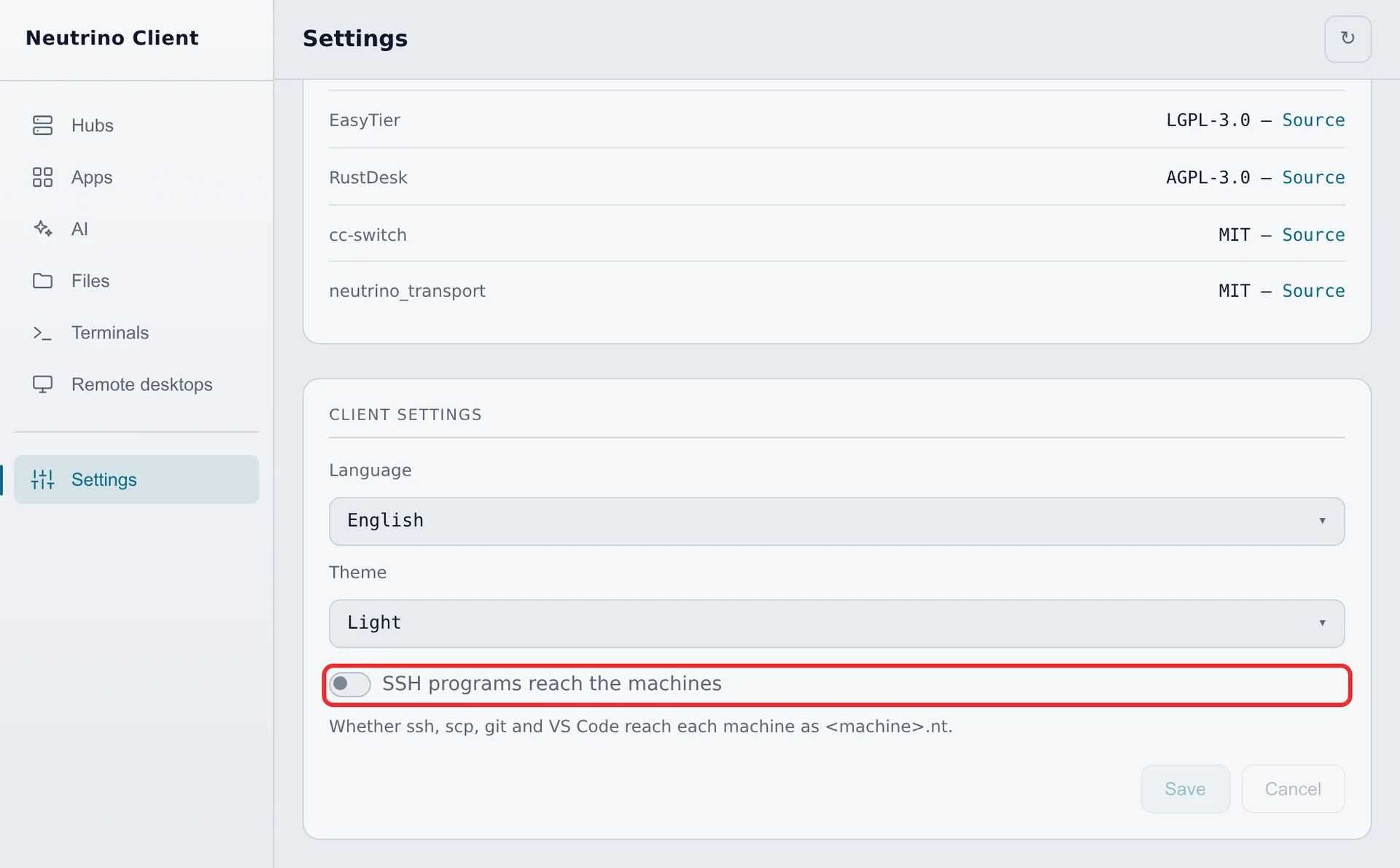
In place of the switch, you can run the following command, which has the same effect. To remove the setting later, run nclient ssh config uninstall.
bash
nclient ssh config installtext
added Include ~/.ssh/neutrino_config to ~/.ssh/configThe switch adds one Include line at the top of ~/.ssh/config and changes nothing else.
Connect to a system
The host name is the system's name in the panel plus .nt. To choose the account, put the account name and the system name in ssh <account>@<system>.nt. Without an account, ssh uses the system's first enabled account.
bash
ssh my-computer.ntWith a command after the host name, ssh returns when the command finishes. The first connection works without setting a password or a key.
bash
ssh my-computer.nt uname -srtext
Linux 5.15.0-198-genericscp, sftp, rsync and git work the same way, and rsync must be installed on both ends.
For VS Code and JetBrains remote development, enter <system>.nt as the host name.
FileZilla and similar programs do not read the SSH config. For them, run nclient ssh list and enter the local address and port it lists.
text
my-computer lab 127.0.0.1:31407Notes
Connections work only while the client runs, and with the client closed, ssh reports that the client is not running. If two hubs have systems with the same name, the host name becomes <system>.<hub>.nt. You can forward only to that system's own ports.
Keys
The keys are in ~/.ssh/neutrino/, one for each account on each system. The hub generates them, and the client fetches them automatically. When you leave the last hub, the client deletes these keys.
To change the keys, select Rotate under SSH keys on the panel's Credentials page. Old keys saved in other places stop working immediately.